Closer to an operating system than a till
An activity business has a shop, a rack, a schedule and a stack of signed agreements. OAK runs all four, so they stop disagreeing with each other.
Rentals
Gear out by the hour, day or week — tracked by unit, not by guesswork.
Reservations
Booked ahead against live availability, so nothing is promised twice.
Retail
Accessories and apparel on the same ticket as the rental.
Payments
Chip, tap, saved cards and deposits, in person and online.
Customers
History, saved cards and signed agreements, kept together.
Experiences
Lessons, tours and timed sessions with real seat counts.
Operations
Check-in, check-out, overdue gear, revenue and utilisation.
Included
Every account gets every one of these. There is no higher tier.
Equipment rental & reservations
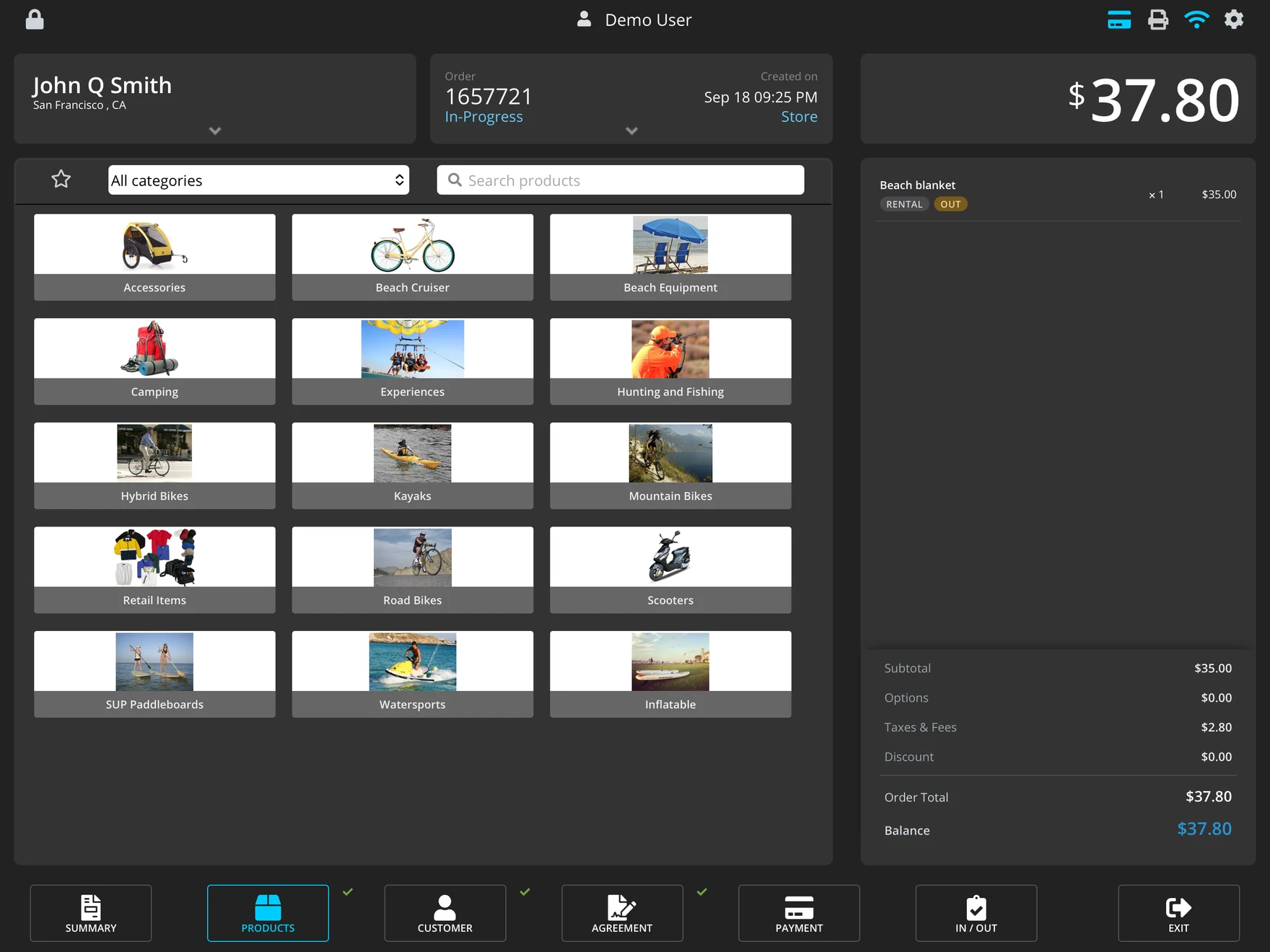
Inventory that leaves the building
A retail system decrements stock and forgets. Yours has to know that board seven is out until four, due back before the two o'clock lesson, and can't be promised to the family standing at the counter.
- Hourly, half-day, daily and multi-day rates on the same item.
- One availability picture shared by the counter, the phone and online.
- Sizes and variants tracked as separate stock, not one lump.
- Edit any order after the fact, wherever it started.
Operations
The hour before close
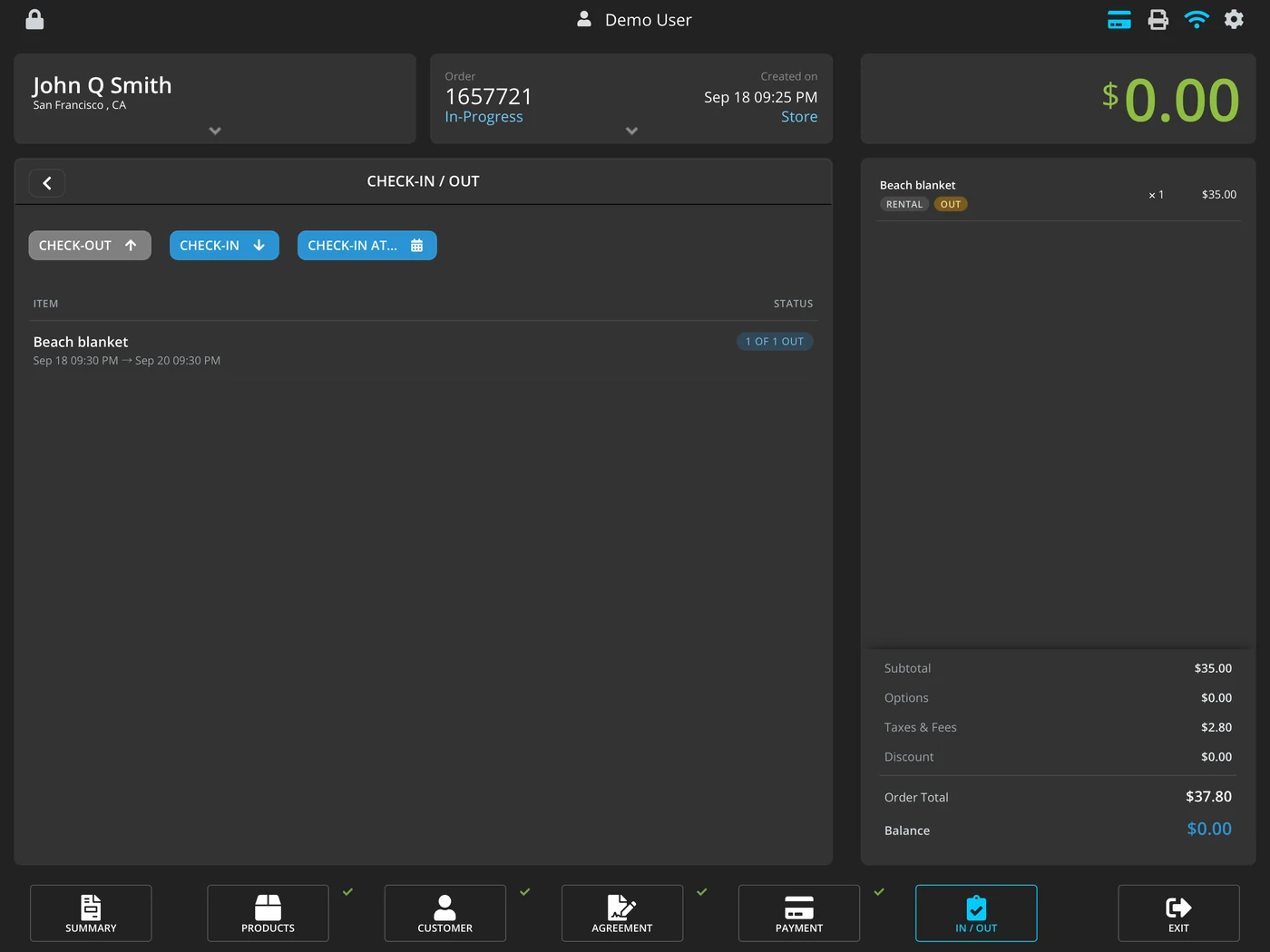
That's when a rental business actually gets tested. OAK's home screen answers it before you ask: what's out, what's late, what's coming back, and what the day made.
- Check-out and check-in against the order, item by item.
- Due out, overdue out, due back, overdue back — counted on the home screen.
- Revenue and utilisation per item, so you know what earned its rack space.
- Export your customers and orders whenever you want. It's your business record.
Payments & deposits
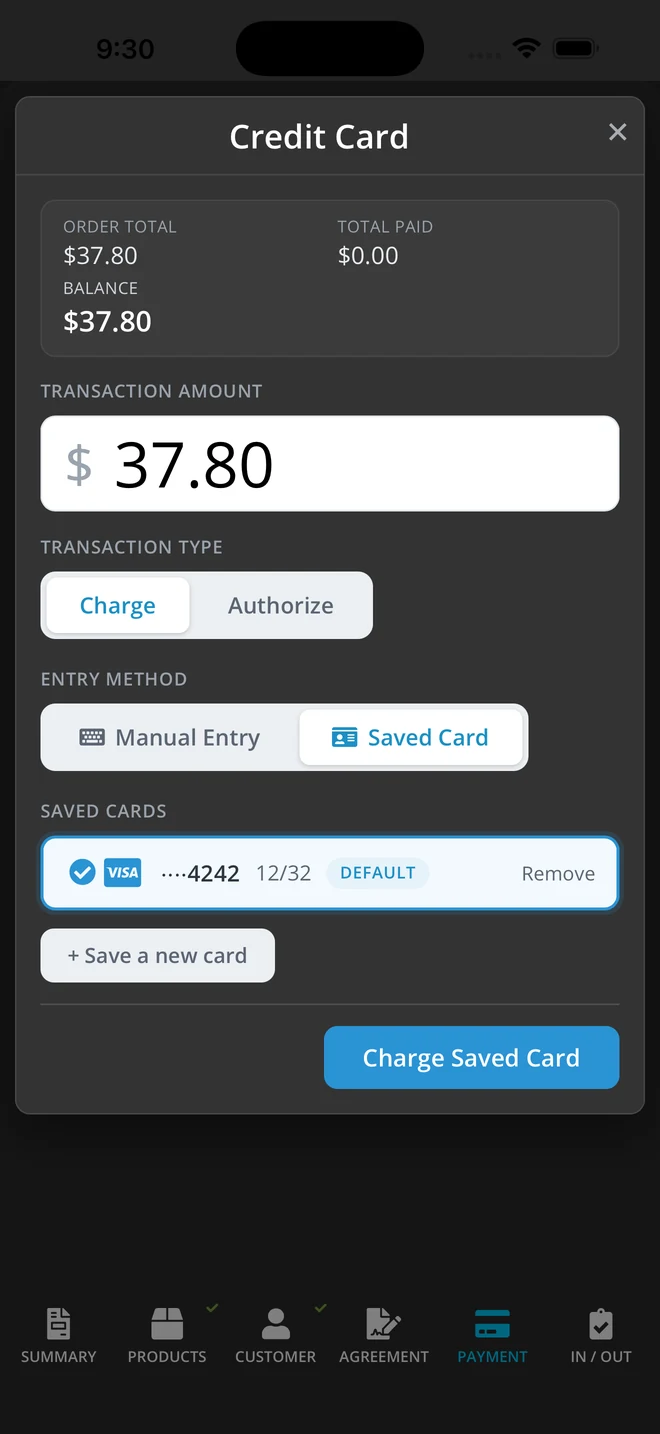
Take the card once. Charge it when you need to.
Recreational rental gets shorter card authorisation windows than most categories. The hold expires, the customer is long gone, and the cracked fin is yours. OAK keeps the card on file so the deposit is still there when you find out.
- Chip, tap and contactless on a countertop reader.
- Cards on file held as a token — you never store card numbers.
- Charge later for damage, late returns or gear that didn't come back.
- Online and phone payments for bookings taken away from the counter.
Waivers & agreements
The paperwork, without the paper
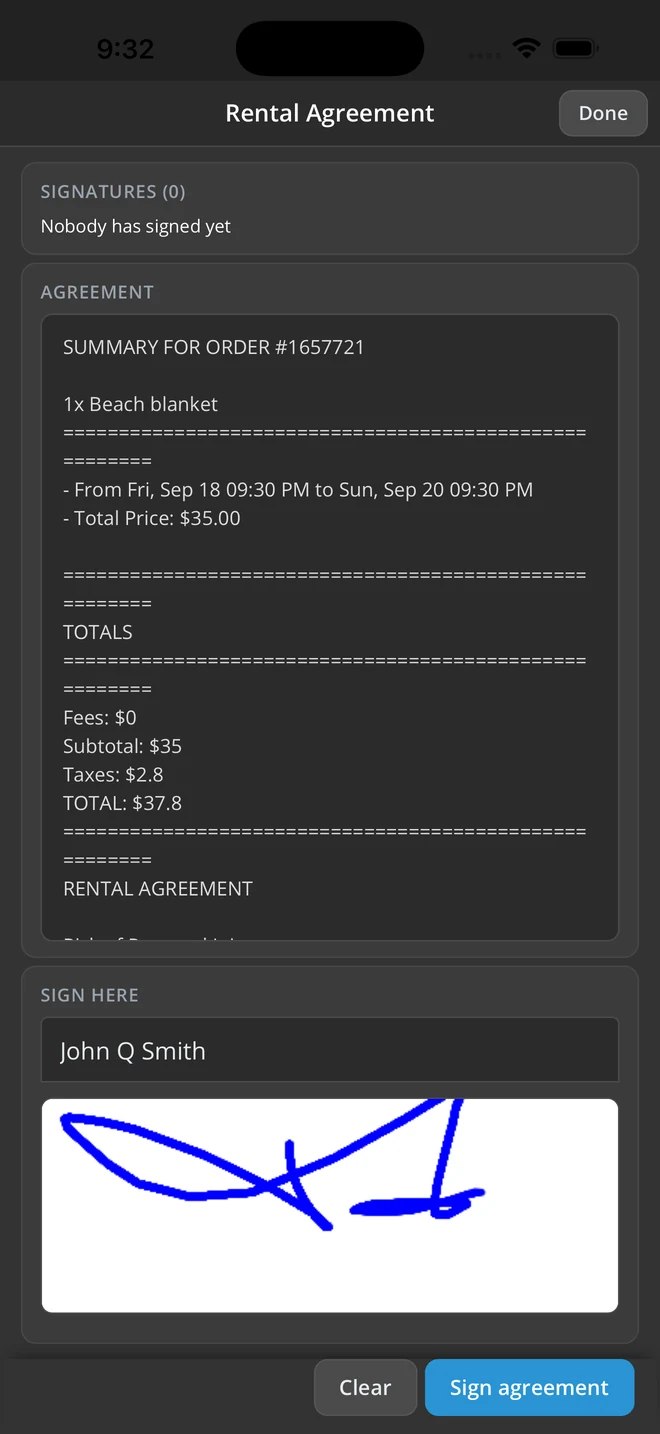
Every rental needs a signature and nobody wants a clipboard. OAK shows the customer what they're taking, what it costs and when it's due, and captures the signature on the device.
- Your waiver, your words. Use your own waiver and rental terms — OAK adds the items, dates and totals from the order.
- Agreement generated from the order — items, dates, totals, terms.
- Signed on screen and kept with the order, not in a drawer.
- Emailed to the customer along with their summary and receipt.
- Customer history so a returning renter is a thirty-second transaction.
Where it runs
iPad at the counter. iPhone everywhere else.
Both are native apps, not a website in a wrapper. Your online store runs in any browser, and the back office does too.
iPad
The front counter. Built for wet hands, bright sun and a queue out the door — the whole order, payment and check-out flow on one screen.
iPhone
The same system in your pocket. Check gear back in at the dock, sign an agreement on the sand, take a payment without walking back to the shop.
Online store
A booking storefront on your own website, sharing one catalogue and one availability picture with the counter.
See it against your own season.
Tell us what you rent and how busy your summer gets. We'll walk you through how OAK would handle it.