Take the payment, hold the deposit, keep the customer moving
OAK runs every payment through your own Stripe account — at the counter on the Stripe Reader M2, on the beach from an iPhone, and online with Apple Pay, Google Pay and Link.
In person
The Stripe Reader M2. Small enough for a pocket, quick enough for a queue.
A battery-powered Bluetooth reader that pairs with OAK on iPad or iPhone. Customers tap, insert or swipe — cards, phones and watches all work.
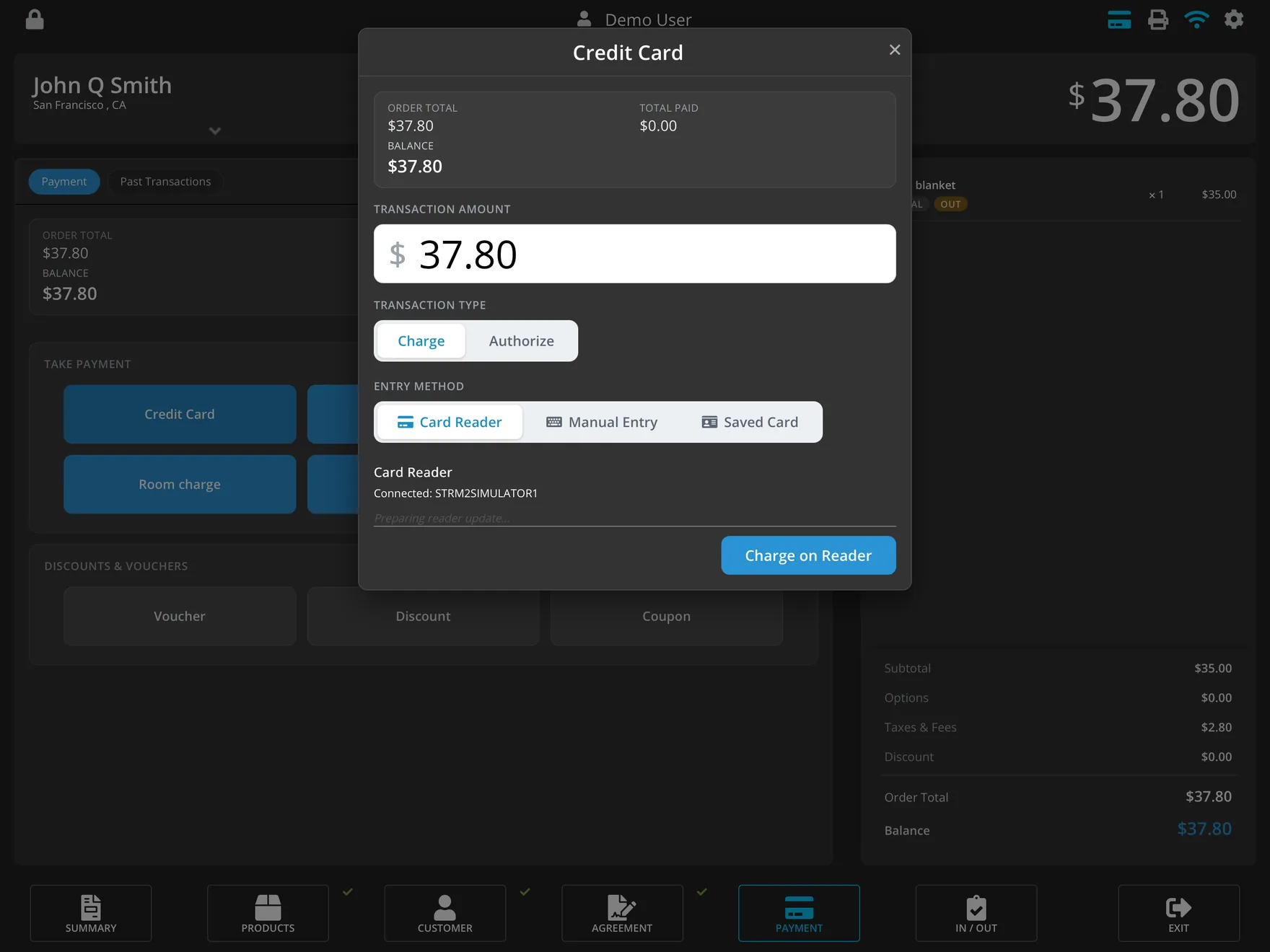
- Chip, tap and swipe, plus contactless wallets like Apple Pay and Google Pay on the customer's phone.
- Pairs in the app. Choose the reader in OAK's settings; the first connection installs any update the reader needs, with progress on screen.
- Battery and connection at a glance in OAK, so a flat reader is never a surprise at nine in the morning.
- Goes where the gear goes. Take it to the dock, the lift line or the beach with an iPhone. (It isn't waterproof — keep it dry.)
Getting set up
From zero to taking cards in an afternoon
-
Connect Stripe
In OAK's Back Office, go to Settings → Payments and choose Connect Stripe Account. Sign in to Stripe (or create an account) and authorise OAK. Payouts go straight from Stripe to your bank.
-
Set your Terminal location
Still in Settings → Payments, pick or create the Stripe Terminal location your readers belong to.
-
Order the reader from Stripe
In your Stripe Dashboard, open More → Terminal → Shop and order the Stripe Reader M2. It's inexpensive, and Stripe ships it straight to you. Account administrators, developers and analysts can place orders.
-
Pair it with OAK
Switch the reader on, open OAK's settings on your iPad or iPhone and select it. That's it.
Need iPads, stands or receipt printers too? OAK hardware store.
Deposits
Hold a deposit for as long as the rental lasts
Rentals end after the card terminal has usually forgotten about them. OAK asks Stripe for the longest hold your business category allows — so the deposit is still there when the gear comes back.
- Charge or authorise at the counter: take the money now, or hold it and decide later.
- Extended holds, automatically. For bike, boat and equipment rental, Stripe typically allows up to 10 days on Visa and 30 on Mastercard, instead of the standard few days. Nothing to configure.
- Capture exactly what's owed. Capture the full amount or part of it when the rental closes, or void the hold and release it.
- Refunds in full or in part, recorded against the original payment.
Cards on file
Tap once. Charge later, if you need to.
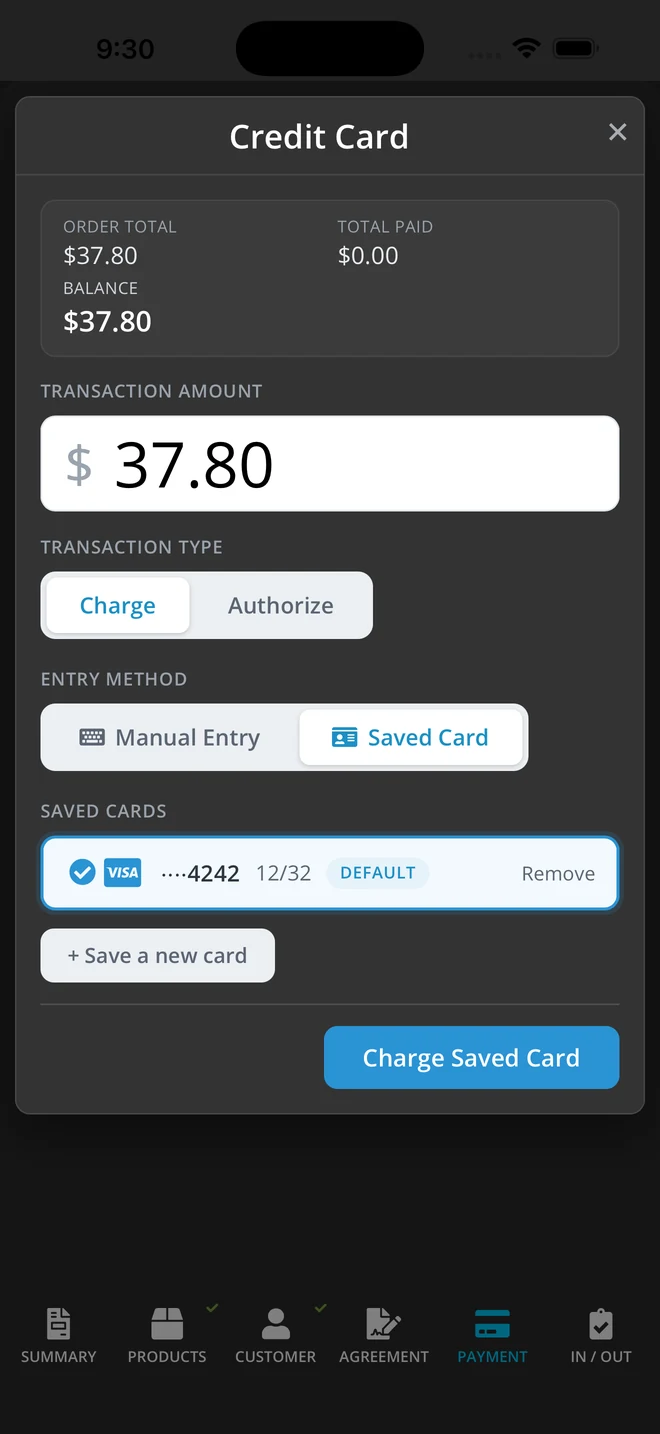
Save a customer's card straight from the reader, or key it in for a phone booking. When the board comes back cracked or the bike comes back late, charge the saved card — no chasing, no second visit.
- Saved from the reader or by keyed entry, with the customer present and agreeing to it.
- Charge a saved card later for damage, late returns or extra days, as your waiver or rental agreement allows.
- One default card per customer, easy to swap or remove.
- Phone orders done properly. Keyed-in cards can be classified as mail/telephone orders once Stripe enables it on your account, which means fewer false declines and no bank-app verification the caller can't complete. Until then, keyed entry works as a normal online payment.
Online
Checkout your customers already know
Your OAK online store takes payment with Stripe's own checkout, so customers pay the way they're used to paying.
Apple Pay
Face ID or Touch ID, and the booking's paid. OAK registers your store with Apple Pay for you when you connect Stripe — there's nothing for you to set up.
Link and Google Pay
Customers who've saved their details with Link check out in a couple of taps; Android and Chrome users can pay with Google Pay.
Cards, securely
Card details go straight to Stripe, bank verification like 3-D Secure is handled in the checkout, and OAK confirms the payment with Stripe before the booking is accepted.
The detail, up front
Why it's built this way
Your Stripe account, your rates
Payments run on your own Stripe account at your own Stripe pricing. You see every payment in your Stripe Dashboard, and OAK records the Stripe reference, card brand and last four digits on the order for easy reconciliation.
Card data never touches OAK
Card details are captured by Stripe's reader and Stripe's secure fields; OAK only ever handles Stripe tokens and references.
Nothing gets lost or doubled
If the connection drops mid-payment, OAK reconciles with Stripe instead of recording the payment twice — or not at all.
Pricing
2% per transaction, and that's all from us
No monthly fee. Refunds reverse our fee, and nothing is added to your customer's total. Stripe's card processing fees are separate, on your own Stripe account.
per transaction
No monthly fee · No tiers · Every feature · Unlimited everything
Let's get your first payment through.
Tell us how you take payments today and we'll show you how OAK and Stripe would handle it — readers, deposits and your online store.